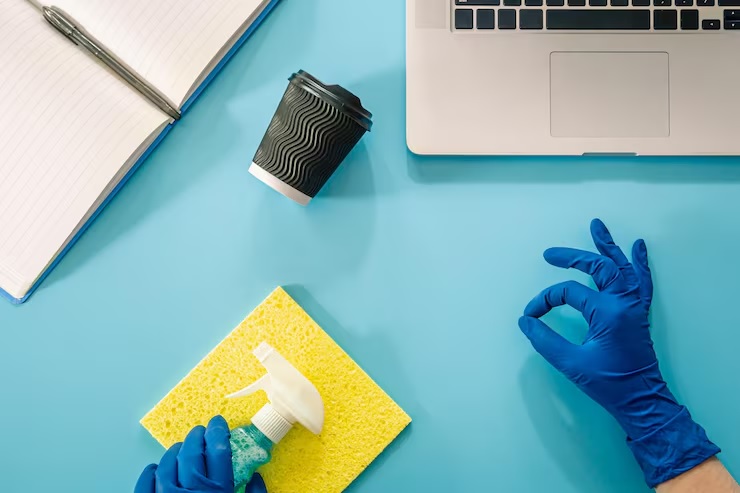
Creating a great working setup at home requires good maintenance–there’s just no way around that. When you properly clean frequently used equipment, you not only restore order in your space, but also end up feeling good about it and even become more productive.
Here are a few handy tips for cleaning common work equipment like the keyboard and monitor, and your desk, so you can not only do it properly but also faster and more efficiently.
Why Cleaning Your Home Office Regularly Matters
The first and obvious reason is good hygiene. Common items like your keyboard and mouse, for example, are high-touch surfaces that can harbour lots of bacteria. Imagine touching your face or mouth after–it’s not only disgusting, but it’s not great for your health at all!
Dust build-up can also worsen indoor air quality and give you allergy-like symptoms.
The upsides of a clean home office are many. Studies also clearly show that a neat working space increases your mood and focus, making you more productive and motivated. And with mental clarity come results and progress.
So, it’s definitely worth it to deep clean your most frequently used work tools and give your home office the makeover it deserves.
If doing all the work feels like too much at times, it’s okay to ask a local cleaning company to take care of some of the load. This can work great as a seasonal reset for your whole home in times when you just don’t feel like doing all the work of Spring cleaning.
Keyboard Cleaning Instructions
Keyboards might not get much attention, but they’re really important when you’re working from home. They can get pretty messy with dust and crumbs and whatnot, which isn’t just gross but can mess up how they work.
First things first, turn off your computer and unplug the keyboard. Grab a can of compressed air and blow out any debris stuck between the keys. It’ll keep everything working smoothly and looking good.
Next, take some disinfecting wipes and gently clean the keys. Just be careful not to soak them too much because that could damage the keyboard.
If you’ve got any stubborn dirt, a soft brush or cotton swab should do the trick. If the keys can be removed, check the manual before you start, so nothing goes wrong.
After cleaning, let the keyboard dry completely before plugging it back in. Keeping it clean not only makes it last longer but also keeps your workspace looking neat. Try giving it a quick wipe daily, maybe right after breakfast, to start your day fresh.
Computer Monitor Clean-up
Dust, dirt and fingerprints are sadly unavoidable–and so is cleaning them the right way. First, make sure to turn off and unplug your monitor. Grab a soft microfiber cloth—it’s a great tool for dusting without scratching. Just slightly wet the cloth with a screen-safe cleaner.
Wipe the screen gently in little circles to keep it streak-free. Don’t press too hard, or you might risk damaging it. For tough spots like fingerprints, put a bit of cleaner on the cloth, not the screen, and buff it out gently.
Don’t forget the edges and corners where dust likes to hide. Use a dry part of your cloth for those spots. Regularly doing this keeps your screen looking sharp and helps it last longer, making your work time much nicer and comfier.
Cleaning Headsets or Headphones
Keeping these clean is key to good hygiene and top performance. First, check if you can take off the ear cushions or headbands. If you can, wash them gently with soapy water, and make sure they’re totally dry before putting them back on.
For the parts that don’t come off, just use a disinfectant wipe to clean the outside, especially around tricky spots near the speaker mesh. Be careful not to use too much liquid, as it could mess up the electronic parts.
For hard-to-reach areas around the buttons, a cotton swab with a bit of rubbing alcohol works well to remove grime.
Cleaning Your Desk Surface and Surrounding Areas
Start by clearing off any clutter so you’ve got room to work. Once everything’s neat, grab a cleaner and a cloth to wipe the desk. Pay extra attention to spots like the keyboard tray and mousepad, where dirt loves to hide.
If you’ve got tough stains, put a bit of cleaner on the cloth instead of applying it straight to the desk. Move things like pen holders and chargers to clean underneath and catch all that dust. Don’t forget to wipe nearby areas like shelves and drawer handles too.
Keeping your desk free of clutter not only makes cleaning quicker but also boosts your productivity. An organised space means you can focus better and finish tasks faster. Regularly tidying up can help create a healthier, more productive work environment at home.
How to Maintain a Clean Work-from-Home Setup
Now that you’ve tackled everything, it’s important to keep it that way. Make tackling your home office a regular part of your cleaning routine. You could set up a reminder on your phone or just set aside 10 minutes a week for a quick makeover to keep things clean and hygienic.
You could also eat away from your working desk to help keep it and the equipment around it cleaner for longer. Additionally, use keyboard covers or skins for an extra layer of protection and try to position your equipment away from vents to minimise dust.
All these strategies can help keep your work-from-home setup clean and hygienic and reduce the need for deeper maintenance over time.
Conclusion
So, there you have it!
You now know how to keep your home office neat and tidy, and the benefits that come with that. All that’s left is to do it. Imagine how good it would feel when you sort out everything, and you step into a clean and orderly working environment.
Don’t forget to do this regularly to keep the equipment clean and functioning well. And, should it prove too much trouble, you could always rely on pro cleaners to take care of everything for you, while you pay attention to more important things, like family.